Can You Show a Digital Fishing License in Kansas?
We've all been there: fumbling through a wallet or tackle box, trying to find that crumpled piece of paper that proves we're legally allowed to fish. The thought of losing it, or worse, having it get soaked and illegible on a rainy day, is enough to make anyone sigh. Thankfully, in this modern age, the Kansas Department of Wildlife, Parks and Tourism (KDWP) understands the need for convenience, and the good news is, you absolutely can show a digital fishing license in Kansas. This guide will walk you through how it works, what to expect, and some practical tips to make sure your digital license serves you well on the water.
The Ease of Digital Licensing in Kansas
Gone are the days when a physical license was your only ticket to enjoying Kansas's fantastic waters. The shift to digital options has been a game-changer for many anglers, offering a level of convenience and accessibility that paper just can't match. It’s all about making your time outdoors simpler and more enjoyable, rather than adding another layer of bureaucracy.
Embracing the KDWP Go Outdoors Platform
The Kansas Department of Wildlife, Parks and Tourism (KDWP) has put a lot of effort into its "Go Outdoors Kansas" platform, which is your primary portal for purchasing and managing all your hunting and fishing licenses and permits. When you buy your Kansas Fishing License Guide online through this system, you're not just getting a receipt; you're creating a digital record that’s readily accessible. This platform is designed to be user-friendly, recognizing that most people carry their smartphones with them everywhere they go – even to the lake or river.
The platform allows you to view your current licenses directly on your mobile device. This means that after you've completed your purchase, you don't have to wait for anything to arrive in the mail or worry about printing it out perfectly. It's instantly available. This digital solution aligns perfectly with the modern angler's lifestyle, whether you're planning a spontaneous trip to a local community lake or heading out for a full day on one of Kansas's vast reservoirs like Milford Lake. Having your license literally at your fingertips through the KDWP app or a saved PDF on your phone can save you a lot of hassle and let you focus on what really matters: catching fish.
Why Digital Licenses Are So Popular
The popularity of digital licenses isn't just about avoiding a trip to the local bait shop or a KDWP office; it's about peace of mind. Think about it: how many times have you arrived at your favorite fishing spot, only to realize you left your wallet in the truck, or worse, at home? With a digital license stored on your smartphone, as long as you have your phone, you have your license. This is especially helpful for those spur-of-the-moment fishing trips.
Moreover, the digital format helps protect your license from the elements. A paper license can easily get torn, smudged, or completely ruined by water, especially if you're out on a boat or fishing in adverse weather. Imagine trying to explain to a game warden that your license dissolved when you accidentally dropped it in the water! A digital version, however, remains pristine on your device. For anglers who participate in activities that are highly regulated, like the Kansas Trout Permit Guide season, having an easily verifiable license is crucial for ensuring you're in compliance with all Kansas Fishing Regulations Explained. It's a small change that makes a big difference in reducing stress and increasing enjoyment of the outdoors.
How to Access and Display Your Digital Kansas Fishing License
So, you've purchased your license online, now what? The key is knowing exactly how to access it and, more importantly, how to present it if a KDWP Law Enforcement Officer or game warden asks to see it. It's not enough to just know you bought one; you need to be able to show it clearly and quickly.
Accessing Your License on Your Mobile Device
The KDWP has made it straightforward to access your digital license. Once you've purchased your license through the Go Outdoors Kansas platform, you can either:
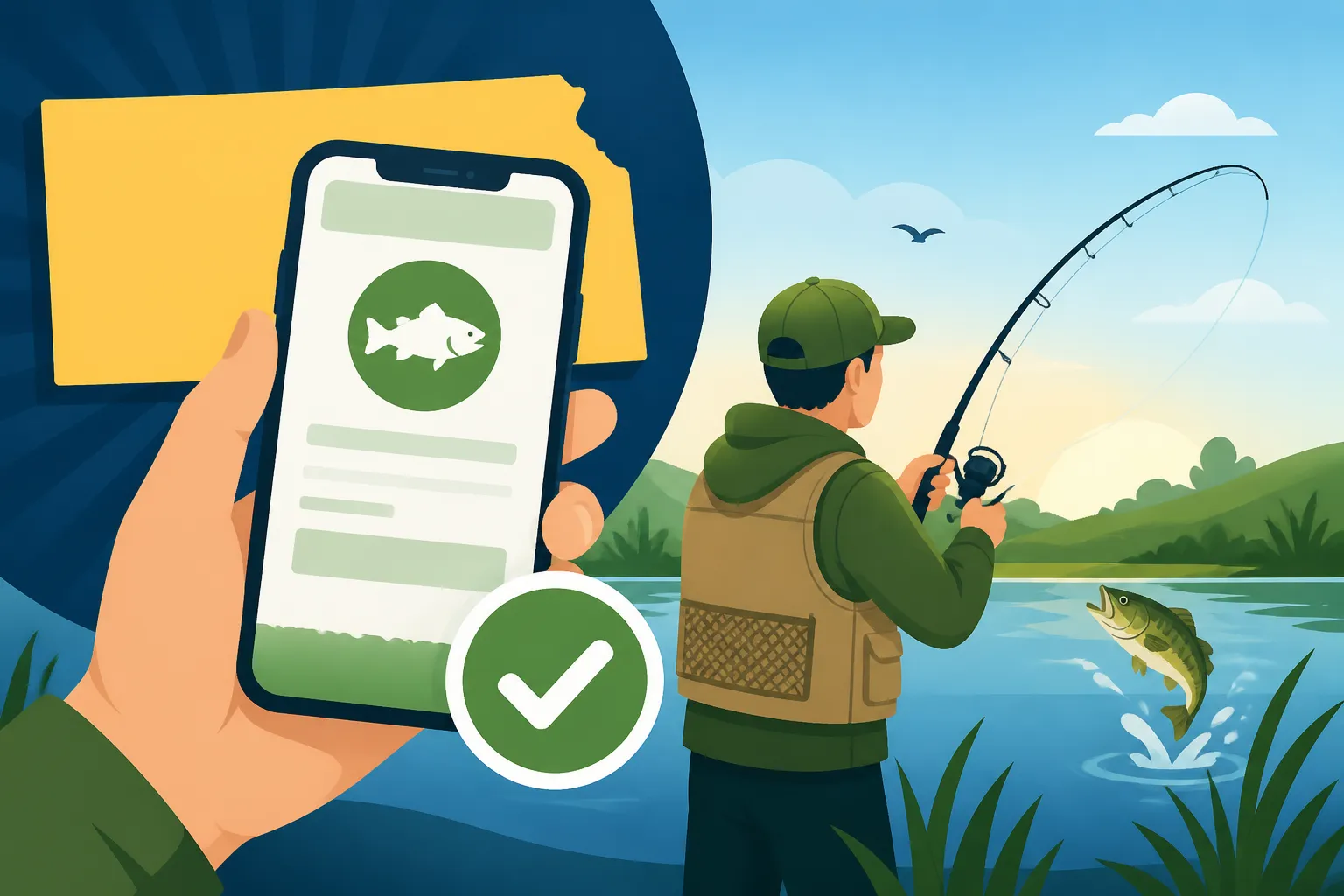
- Use the Go Outdoors Kansas Mobile App: This is often the most convenient method. Download the official app from your smartphone's app store (available for both iOS and Android). Once logged in, your active licenses will typically be displayed or easily accessible through a "My Licenses" section. This app is designed to present your information in a clear, concise format, making it easy for both you and any inquiring officer to verify your credentials.
- Save a Digital Copy (PDF/Screenshot): If you prefer not to use the app, or as a handy backup, you can usually download a PDF version of your license directly from the Go Outdoors website after purchase. Save this PDF to your phone's local storage or a cloud service like Google Drive or Dropbox. Alternatively, a clear screenshot of your license from the website or app, showing all necessary information, can also work. The important thing is that all details, including your name, license number, license type (e.g., Kansas Resident Annual Fishing License Costs $25), and expiration date, are legible.
When an officer requests to see your license, simply pull up the app or the saved file on your phone. Make sure your screen is clean and bright enough for them to easily read the information.
What Law Enforcement Looks For
When a Kansas game warden asks to see your fishing license, they're primarily looking for a few key pieces of information to confirm you are legally entitled to fish. This applies whether you're showing a physical paper license or a digital one. They'll be checking:
- Your Name: To ensure the license belongs to you.
- License Type: Confirming you have the correct license for the activity (e.g., fishing, combination hunt/fish, senior, non-resident).
- License Number: A unique identifier for your specific license.
- Expiration Date: To verify that your license is currently valid. For example, if you're fishing in March, they'll want to see that your license hasn't already expired from the previous year.
- Any Required Permits: If you're fishing in a designated trout water during Kansas Trout Season Runs December 1 to March 31, they'll also check for your Kansas Trout Permit.
It’s about clear, immediate verification. While game wardens are generally understanding, anything that slows down the process or makes verification difficult can lead to delays. Having a well-charged phone and knowing exactly where your license is stored digitally will make the interaction smooth and quick. Remember, compliance with these rules helps support conservation efforts in the state, ensuring that there are fish for everyone to enjoy for years to come. If you're ever found fishing without a valid license, even inadvertently, the Fishing Without a License Penalties in Kansas can be quite severe, so always be prepared.
Important Considerations for Digital Licenses on the Water
While digital licenses offer unparalleled convenience, it's vital to think about the practicalities of using your smartphone in an outdoor, often wet, environment. A little foresight can prevent a lot of headaches.
Battery Life and Phone Damage Concerns
One of the biggest anxieties with relying solely on a digital license is the dreaded dead battery. Picture this: you're out on the lake, having a fantastic day, and then your phone battery dies just as a game warden pulls up. Suddenly, your convenient digital license is inaccessible, and you could find yourself in a tricky situation, facing potential issues for not having a valid license readily available.
To combat this, always make sure your phone is fully charged before heading out. For longer trips or multi-day excursions, consider carrying a portable power bank. These external battery packs, readily available from retailers like Amazon, can provide multiple charges for your device, giving you peace of mind.
Another significant concern is phone damage. Water, dirt, and accidental drops are common hazards when fishing. A smartphone isn't designed to withstand a dunk in Milford Lake or a fall onto the rocky shore of the Kansas River. Investing in a good quality waterproof and shockproof phone case is highly recommended. You can find many durable options on Amazon that offer robust protection, or even a simple waterproof pouch can do the trick to keep your device safe from splashes and unexpected dips. After all, your phone isn't just your license holder; it's also your communication device in an emergency.
The Importance of a Backup Plan
Even with a fully charged, waterproofed phone, technology can be unpredictable. Apps can crash, phones can malfunction, or you might find yourself in an area with no signal, which can sometimes affect app functionality if it needs to verify online. This is where a solid backup plan becomes your best friend.
Consider these options as a safety net:
- A Printed Copy: Yes, the irony isn't lost on us! While the goal is digital convenience, having a physical printout of your license tucked away in a waterproof bag or your tackle box is the ultimate failsafe. It doesn't need to be fancy, just legible. This way, if your phone goes belly-up, you still have proof of your license.
- Another Digital Copy on a Different Device: If you're fishing with a partner who also carries a smartphone, you could email them a PDF copy of your license (and vice-versa). In a pinch, they might be able to display it for you.
- KDWP Information: Keep the KDWP customer service number saved in your phone or written down somewhere. In a truly dire situation, they might be able to remotely verify your license, though this should be a last resort, as it can be time-consuming.
The goal is to avoid any scenario where you are unable to present proof of your valid Kansas Fishing License Guide. Being prepared means you can focus entirely on your fishing adventure, whether it’s chasing trophy catfish in Tuttle Creek Lake or targeting crappie during the spring spawn.
Benefits and Drawbacks: Digital vs. Physical Licenses
Deciding whether to rely solely on a digital license or stick with a physical one can depend on your personal fishing habits and comfort level with technology. Let's weigh the common pros and cons to help you make an informed choice.
Pros of Digital Licenses
The advantages of going digital are quite compelling for many anglers:
- Unbeatable Convenience: As discussed, having your license on your phone means one less item to remember. Most people already have their phone with them, making it incredibly easy to access at a moment's notice. No more worries about misplacing a paper license.
- Durability (of the record): While your phone might be fragile, the digital record of your license itself is incredibly durable. It won't fade, tear, or get ruined by water. If your phone gets damaged, you can simply access your account on another device or print a new copy.
- Instant Access: Purchased online, your license is immediately available. There's no waiting for mail, no special trip to a vendor. This is particularly handy if you decide to go fishing on a whim.
- Environmentally Friendly: Less paper means less waste. It's a small step, but every little bit helps our planet and the beautiful natural resources we enjoy while fishing.
- Easy Renewal Reminders: Often, the KDWP system or app can send you reminders when your license is nearing its expiration, making Kansas Fishing License Online Renewal a breeze and ensuring you don't accidentally fish with an expired license.
Cons of Digital Licenses
While the benefits are clear, there are also some practical downsides to consider:
- Reliance on Technology: This is the big one. If your phone battery dies, gets lost, or takes an unexpected swim, your digital license becomes inaccessible. This can lead to unwanted stress and potential legal issues if you cannot produce proof when asked by law enforcement.
- Screen Visibility: In bright sunlight or through polarized sunglasses, a phone screen can sometimes be difficult to read. This might slightly delay an officer's verification.
- Phone Damage Risk: Carrying your expensive smartphone into a fishing environment inherently increases its risk of damage from water, dirt, or drops. While protective cases help, they don't offer 100% foolproof protection.
- Signal Issues: While not always necessary for display, some apps might require an internet connection to initially load or verify your license, which could be an issue in remote Best Fishing Lakes in Kansas or along secluded stretches of the Kansas River Fishing Guide.
Here's a quick comparison table to help visualize the differences:
| Feature | Digital License (Smartphone) | Physical License (Paper) |
|---|---|---|
| Accessibility | Instant, via app/PDF on phone | Requires physical possession |
| Durability | Digital record is robust | Prone to tearing, water damage, fading |
| Loss Risk | Phone loss = license inaccessible | Easy to misplace or lose |
| Weather Impact | Phone needs protection (water/shock) | Highly vulnerable to water |
| Convenience | High (always with phone) | Moderate (remember to carry) |
| Backup Options | Screenshot, PDF, power bank | None, if lost |
| Environmental | Low paper waste | Uses paper and printing |
Ultimately, the best approach for many Kansas anglers is a hybrid one: rely on the convenience of your digital license, but always have a waterproofed physical backup somewhere safe. This way, you get the best of both worlds – the ease of digital access and the peace of mind of a tangible copy, especially if you plan to explore a wide range of fisheries and need to be familiar with all Kansas Fishing Seasons and Limits.
It's clear that the KDWP has embraced technology to make fishing in Kansas more accessible and enjoyable. By understanding how to properly use and safeguard your digital license, you can spend less time worrying about regulations and more time casting a line.
Disclaimer
The information provided in this guide is for general informational purposes only and does not constitute legal advice. While we strive to keep the information up-to-date and correct, fishing regulations can change. Always consult the official Kansas Department of Wildlife, Parks and Tourism (KDWP) website or their most current fishing regulations guide for the most accurate and up-to-date information before heading out to fish.